 PastePaw
No cap on history
Keep every clip for as long as you like. No item cap, no time limit, and none of that changes on the free app.
Clipboard history for macOS
Native clipboard history for macOS. Agents on this Mac search, read and write it over local MCP, each token with the scopes you grant.

Version 2.6.0 · macOS 14 or later Free · See what Pro adds →
Agent-readyPro
Agents reach the clipboard over MCP: authorize Claude Code, the ChatGPT desktop app, Gemini CLI or Codex CLI, and they can search what you copied days ago, write their own results back, and sort both into collections. The other direction needs no agent — summarize, translate, explain code or fix grammar on a text clip without leaving the panel.
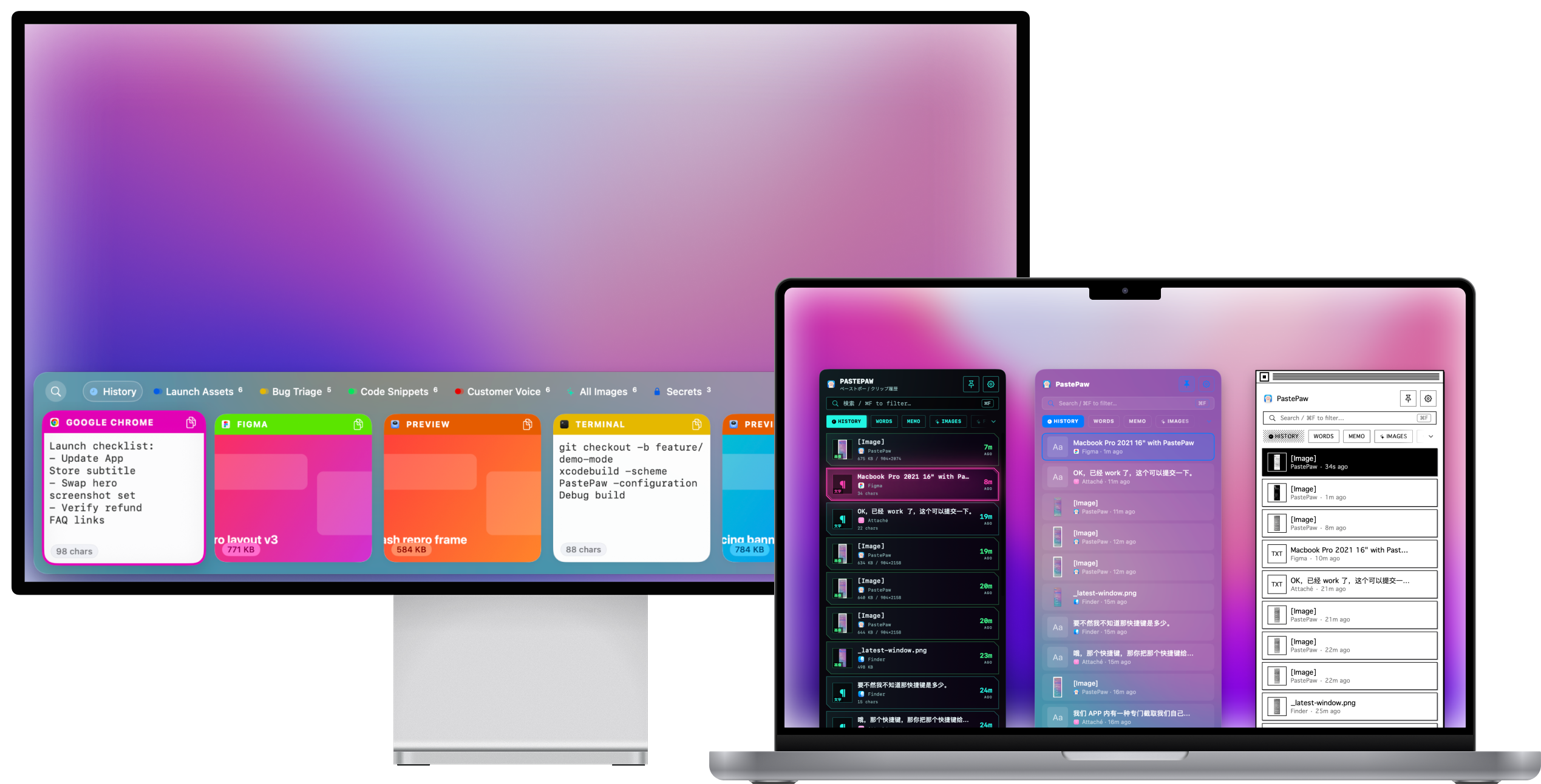
Themes4 free, the rest Pro
Choose a horizontal bar along the bottom of your screen or a vertical sidebar on the left or right, and switch whenever you like. Every theme is drawn natively and supports light and dark mode.
Search
Type and the list narrows to the clips that contain what you typed. PastePaw matches the first 300 characters of each clip, and any note you added to it.
Clip tools
Select a clip and PastePaw offers the tools that fit it — 18 in all, four of them for images. Markdown renders as a live preview with syntax-highlighted code.
{
  "quote": "PastePaw removed
    so much context switching",
  "from": "support",
  "stars": 5
}
quote: >-
  PastePaw removed so much
  context switching
from: support
stars: 5
ewogICJxdW90ZSI6ICJQYXN0ZVBh
dyByZW1vdmVkIHNvIG11Y2ggY29u
dGV4dCBzd2l0Y2hpbmciLAogICJm
cm9tIjogInN1cHBvcnQiLAogICJz
dGFycyI6IDUKfQ==
Secure collectionsPro
Keep passwords and keys in a collection that is encrypted at rest and unlocks with Touch ID or your Mac password. It relocks after the idle time you set, and whenever the Mac sleeps or the screen locks. MCP clients cannot reach its contents.
Multi-select
⌘-click as many clips as you need, then paste or drag them in the order you picked. Text clips merge into a single paste; whether several images or files go in together depends on the receiving app.
Launch checklist: update App Store subtitle
git checkout -b feature/demo-mode
Customer quote: “PastePaw removed so much context switching.”
And the rest
Keep every clip for as long as you like. No item cap, no time limit, and none of that changes on the free app.
With auto-paste on and the Accessibility permission granted, Return puts the clip into the app you were just in. Or drag it out of the panel into any app that takes that kind of content.
Four presets to start — summarize, translate, explain code, fix grammar. Add your own: each action is a prompt with a title and an icon, and its result can replace the clip’s text or show on its own. Text clips only, with your own API key.
Files clips automatically on 5 kinds of rule — content type, link, source app, keyword, and any combination of those.
A local SQLite database on your Mac. No cloud and no account — clips never sync anywhere. Anonymous statistics record how the app is used and how much you keep in it, never what you copied, and you can turn them off in Settings.
Anything you copy in a password manager, or in any other app you exclude, is never recorded.
A real Mac app, not a web wrapper — it opens the instant you press the hotkey.
Rendered Markdown with syntax-highlighted code blocks, right inside the panel.
Free and Pro
$0¥0
Unlimited history, search and all 18 clip tools. No account and no expiring trial — enough for everyday use.
$2.99/ month
¥8/ 月¥223.6 折
划线价为美区同档价格换算到人民币后的金额,中国区长期低于该价格。
Use Pro on every Mac signed in to the same Apple Account.
Prices shown in US dollars. Your local price is set by the App Store.
Anything else, email [email protected].
Press ⌘⇧V. You can change the hotkey in Settings.
Only if you let them. PastePaw's MCP server stays off until you create a token, and each token carries its own read, write and delete scopes plus a per-collection allowlist. Secure collections are never exposed, regardless of what a token is allowed to do.
Your history lives in a local SQLite database inside the app's sandbox. Nothing is uploaded and there is no account. PastePaw does send anonymous usage statistics — how the app is used and how much you keep in it, never your clips — which are listed in full in the privacy policy and can be turned off in Settings. Clips you put in a Secure Collection are additionally encrypted at rest and unlocked with Touch ID or your Mac password.
Yes. Add any app to the ignore list in Settings and PastePaw will never record what you copy there — password managers are the obvious case.
Settings → Data Management → Clear History wipes every clip. Individual clips go with ⌫, and Secure Collections can be deleted whole.
Yes — it is a universal binary and runs natively on both Apple Silicon and Intel Macs, on macOS 14 or later.
Free on the Mac App Store. Requires macOS 14 or later.